
THE MEETING BRIEF
Describe the meeting before choosing equipment.
A productive conference room starts with a clear picture of the work. Is the space used for quick team check-ins, detailed presentations, client conversations, interviews, or workshops? How many people usually attend in person, and how often does someone join remotely? Conference room AV planning connects those habits to the room instead of fitting people around a shopping list.
Bring SES examples of the meetings that matter most, including the screens, documents, laptops, and outside organizations involved. A room that mostly supports a familiar internal platform may need a different workflow from one that frequently welcomes visiting presenters. Decide which experiences must feel routine and which can use a clearly explained alternate path.
THREE ROOM PATTERNS
Match the approach to the space.
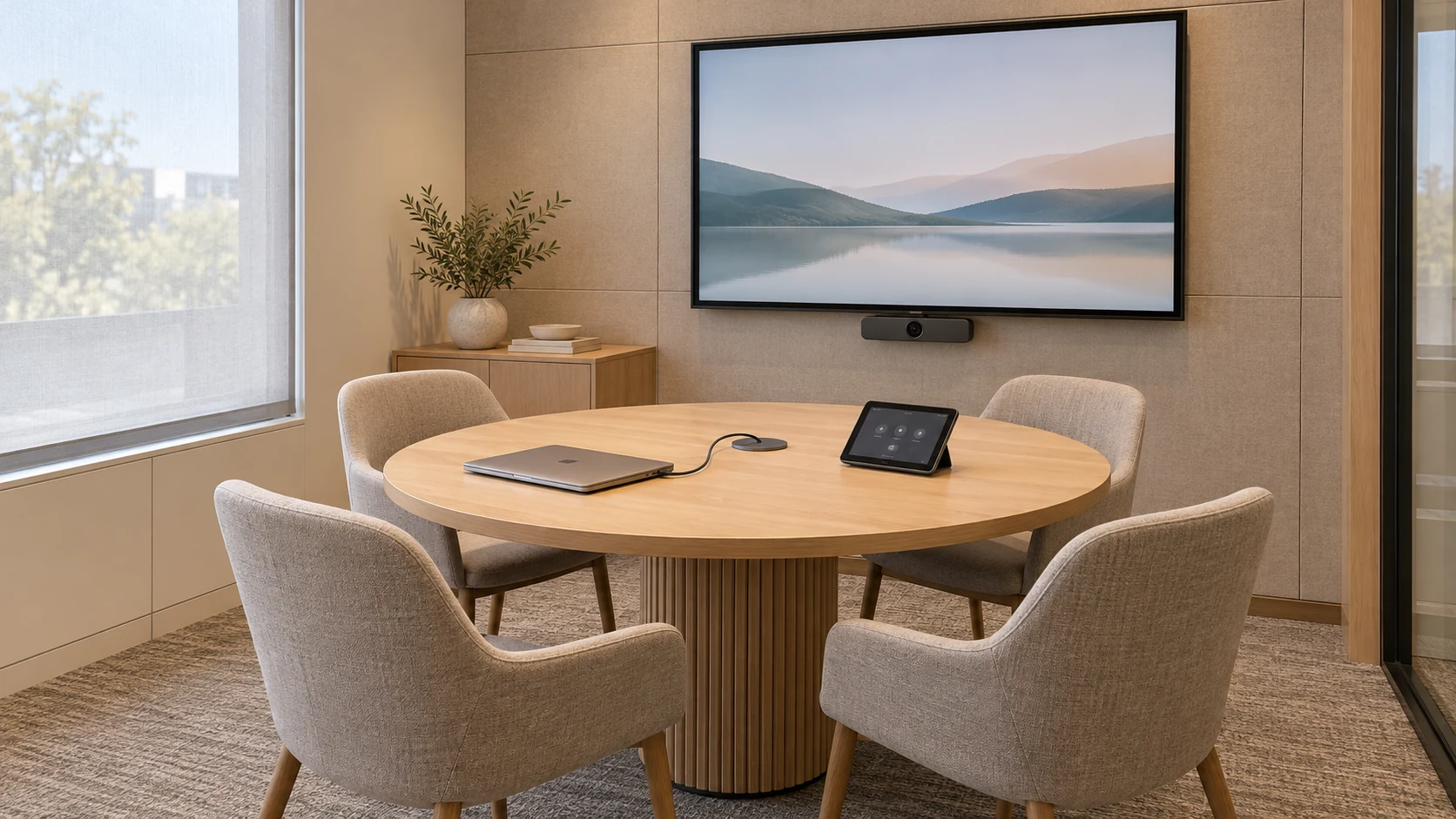
Small team room
A compact room can often use an integrated camera and audio device when people sit within its intended coverage. Keep the connection point and meeting controls easy to find.
Conference room
A longer table needs a deliberate plan for voices, faces, and readable shared content at the farthest seat. Test the actual seating arrangement before choosing the final device layout.
Flexible collaboration space
Movable tables and standing discussions change where people appear and speak. Define the layouts the room will support, including how a whiteboard or workshop activity reaches remote participants.
These patterns start the conversation. Final equipment depends on the room, platform, expected use, and installation conditions.
SPEECH FIRST
Let every seat be heard.
Check microphone and speaker coverage across the occupied room, including the quiet speaker at the far end of the table. A camera bar that works well in a small space may need a different audio arrangement in a longer or more complex room. Keep one coordinated meeting-audio path so nearby laptops do not create competing microphones and speakers.
The room itself matters. Hard surfaces can reflect speech, and outside noise or ventilation can interfere with conversation. Review carpet, acoustic treatments, and background noise alongside the electronics. Walk through a test call with normal seating and doors in their usual positions; listening from the remote end reveals problems a local demonstration can miss.
FACES AND SHARED CONTENT
Design the view from both ends.
A remote participant should be able to follow who is speaking. Check camera sightlines with people seated, chairs occupied, and laptops open. Consider where a presenter stands and whether the room needs to show an activity beyond the table. Camera placement and the furniture layout should be planned together.
Review the display using the content people actually share. A slide deck, spreadsheet, drawing, and remote gallery place different demands on the screen. Readability at the farthest seat matters more than a diagonal measurement alone. Balance room lighting, manage window glare, and avoid placing faces against a bright window that overwhelms the camera view.
A CLEAR CONNECTION PATH
Choose how meetings start and content moves.
A dedicated room system can provide a consistent console-based experience. A laptop-led room asks the presenter to connect a personal device to the room equipment and run the meeting there. Some spaces need both. Make the preferred path obvious, then test the alternate path with the laptops, connectors, and meeting services your organization uses.
For a Microsoft Teams Rooms deployment, confirm the appropriate room license and supported system configuration before procurement. Joining another meeting service depends on the selected equipment and configuration. Ask for a demonstration of the exact guest-meeting and content-sharing workflow rather than assuming every invitation will behave the same way.
READY BEHIND THE SCENES
Coordinate the room with IT and facilities.
Confirm power, cable routes, mounting, furniture, and network readiness before installation. For Teams Rooms, network requirements can involve bandwidth, firewall or proxy settings, certificates, and a dedicated room resource account. Those decisions belong with the organization’s IT team and the room design together.
Agree on what the room can access and who can administer it. Keep the equipment serviceable, document connections, and provide a clear route for planned changes. A tidy table should come from an intentional cable design, not from hiding connections that someone will need later.
THE REAL-MEETING TEST
Try the moments that usually slow people down.
- Book the room and join a scheduled meeting through the normal workflow.
- Hear a person speaking from each intended seat through the remote connection.
- Confirm that faces remain visible with the usual seating and laptop positions.
- Share the documents and applications people use, including detailed content.
- Test a visiting presenter’s approved laptop connection and guest-meeting path.
- Find mute, volume, camera, and end-meeting controls without coaching.
- End the meeting and leave the room ready for the next group.
Use the results to refine the room before everyday use. Include a remote colleague in the check so both sides of the conversation have a voice.
A CONFIDENT HANDOFF
Make the next meeting easier too.
Ask for a short room guide that explains the preferred startup path, alternate connections, basic controls, and where to get help. Identify who owns the accounts, updates, equipment records, and support requests. For organizations with several rooms, familiar controls and consistent instructions can reduce the amount people have to relearn.
Start with one representative room when practical, gather feedback from its users, and use that experience to shape the next space. Your support arrangement should state the covered services and response expectations so the team knows what happens after installation.
PLAN WITH SES
Build around the way your team works.
SES designs conference-room AV and connected workplaces across Northern Virginia, Washington, DC, and Maryland. Share your room dimensions, meeting habits, current frustrations, and IT requirements. We can help turn them into a coordinated plan for sound, video, controls, connectivity, and a practical handoff.
Contact SES for a free estimate
Call (571) 657-3001 | Explore commercial services
For your home office, explore Your Smart Home Starts With the Network.